 ›
Kali NetHunter Pro
›
Kali NetHunter Pro
Kali NetHunter Pro
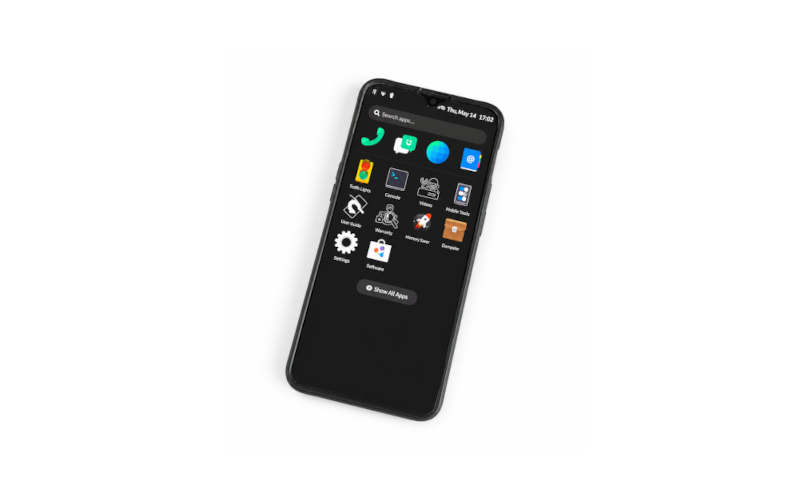
Full Kali Linux on ARM64 — not an Android overlay. Desktop-class penetration testing tools running natively on a phone. This guide focuses on the OnePlus 6T (fajita).
Device — OnePlus 6T
Codename
fajita
SoC
Snapdragon 845
Architecture
ARM64
RAM
6 / 8 GB
Storage
128 / 256 GB
OS
Kali Linux (bare)
Supported Devices
OnePlus 6Tfajitaactive
OnePlus 6enchiladaactive
Poco F1berylliumactive
PinePhone / Propine64active
Xiaomi Mi MIX 2Spolarisactive
SHIFT SHIFT6mqaxolotlactive
Nothing Phone 1spacewarpre-release
Installation — OnePlus 6 / 6T
1
Download the image
Get the NetHunter Pro image for your device from kali.org/get-kali/. Choose the correct variant (OnePlus 6 = enchilada, OnePlus 6T = fajita).
2
Check your partition slot
QCOM Android devices use A/B partitions. Verify which slot is active before flashing.
fastboot getvar current-slot
3
Flash via fastboot
Flash the image to the correct partitions. Erase the dtbo partition first when applicable.
fastboot erase dtbo
fastboot flash boot boot.img
fastboot flash system system.img
4
Boot into NetHunter Pro
Reboot the device. No root, no custom recovery, and no Magisk required.
fastboot reboot
XDA Install Guide
Full step-by-step guide (no root, no custom recovery, no Magisk) available on XDA Forums — see links below.
OTG — Known Issue on SDM845
USB OTG not working out of the box
On SDM845 devices (OnePlus 6/6T, Poco F1) USB OTG defaults to peripheral mode. You need to manually patch the device tree to switch it to host mode.
1
Install required tools
sudo apt install -y abootimg device-tree-compiler
2
Extract and decompile the DTB
Pull the dtb from your boot image and decompile it to a text format.
3
Change USB mode to host
Find the USB node and change
dr_mode from peripheral to host.4
Recompile and flash
Merge the modified dtb back into the kernel image and flash the updated boot partition. Reboot to apply.
Poco F1 note
The Poco F1 requires an externally powered OTG cable to function — passive adapters won't work.
Enable OTG on SDM845 — Video Guide
youtube.com/watch?v=bjhgKxhgmIY